

Description
Download Driver Cleaner PE – driver cleaner, driver removal, system cleanup, driver replacement, graphics drivers, audio drivers, system optimization, driver management, clean driver files, cab files
Overview
Driver Cleaner PE is a specialized utility designed to assist users in maintaining a clean and optimized system by removing unwanted driver files and streamlining the driver replacement process. This tool is particularly useful for individuals managing multiple hardware components, especially those involving graphics and audio drivers. It addresses common system clutter issues that arise after driver updates or replacements, where residual files and outdated components can accumulate and potentially degrade performance over time.
The application supports a wide array of driver types, including ATI, nVidia, Creative, Realtek, SIS, 3Dfx, and S3, making it adaptable to diverse hardware setups. This broad compatibility ensures that users with varied configurations can benefit from its targeted cleaning features. Whether the goal is to free up disk space, resolve driver conflicts, or prepare a system for a fresh driver installation, Driver Cleaner PE offers a focused solution within the broader category of system maintenance tools.
While the developer did not provide additional background on the organization behind the tool, its release date of June 7, 2005, indicates a long-standing presence in the utility space. Despite its age, the tool remains relevant for users seeking a lightweight, no-frills approach to driver cleanup. Real-world use cases include system maintenance before upgrades, troubleshooting hardware conflicts, and preparing machines for resale or reinstallation. In the broader context of system optimization, Driver Cleaner PE fills a niche role by offering precise control over driver file removal, contributing to a more stable and efficient computing environment.
Key Features & Functionality
- Multi-Driver Support: The tool supports a comprehensive range of graphics and audio drivers, including ATI, nVidia, Creative, Realtek, SIS, 3Dfx, and S3. This enables users to manage driver files across multiple hardware types, ensuring compatibility with diverse systems.
- Advanced File Cleaning: Driver Cleaner PE allows users to target specific file types for removal, such as unused cab files and legacy driver components. This precision helps eliminate clutter without affecting essential system files.
- Targeted File Removal: Users can manually select which application files to delete, giving full control over the cleanup process. This prevents accidental removal of critical drivers and enhances safety during maintenance tasks.
- User-Friendly Interface: The application features an intuitive layout with straightforward navigation, making it accessible to both novice users and experienced technicians. The clean design minimizes learning curves and allows for quick operation.
- Optimized Uninstall Process: By streamlining the driver uninstallation workflow, the tool reduces the time and effort required for routine system maintenance. This is especially valuable in environments where frequent driver updates are necessary.
For example, after updating a graphics card driver, residual files may remain in the system. Driver Cleaner PE enables users to identify and remove these remnants safely. Similarly, when replacing audio drivers, the tool can eliminate outdated cab files that may interfere with new installations. These real-world applications demonstrate its value in maintaining system integrity and performance.
Interface, UX & Performance
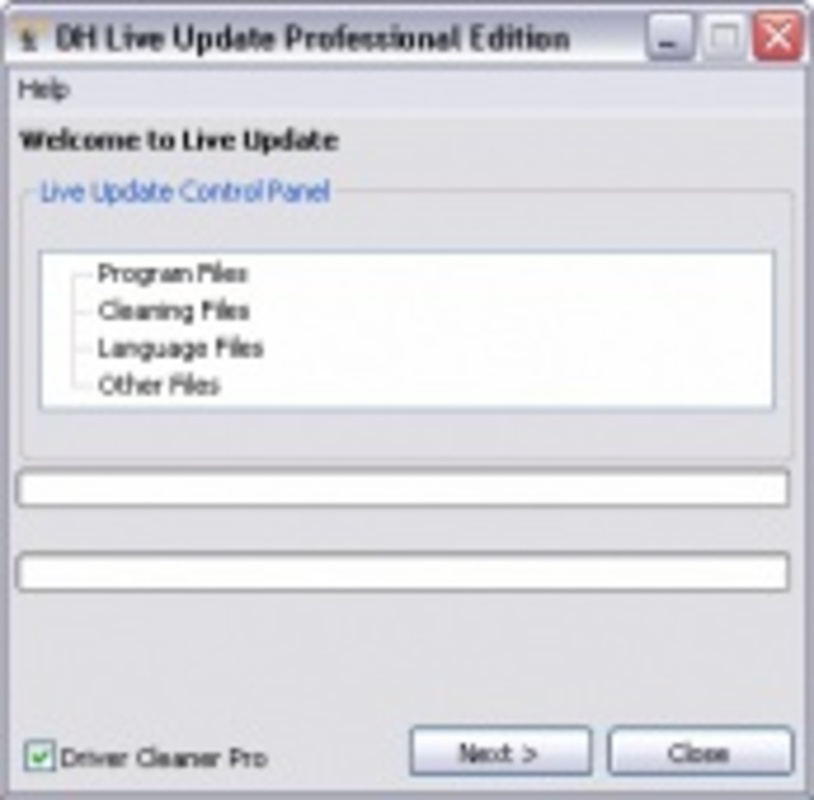
Driver Cleaner PE presents a clean, no-frills interface that prioritizes functionality over visual flair. The layout is organized into clearly labeled sections, allowing users to navigate through the tool’s core functions with minimal effort. The visual style is consistent with older Windows utility applications—simple, text-based, and focused on usability rather than aesthetics.
Navigation is straightforward, with primary actions such as scanning for removable files and selecting specific components for deletion accessible from the main screen. The workflow is linear and predictable, reducing the risk of user error. Although the developer did not list formal performance metrics, the application’s small file size of 1.1 MB suggests it is lightweight and designed for efficient operation on older or low-resource systems.
Responsiveness appears to be stable based on its long-standing presence, though no recent testing data was provided. The tool does not require extensive system resources, which makes it suitable for use on a wide range of Windows machines. Stability is likely maintained through consistent design and minimal feature complexity. However, users should be aware that its age may limit compatibility with modern Windows versions, though it may still function on supported legacy systems.
Platform Compatibility & Technical Requirements
Driver Cleaner PE is designed for the Windows platform. The application is available in version 1.0 with a file size of 1.1 MB. The developer did not specify minimum OS requirements or compatibility details for specific Windows versions beyond the general platform.
Given its release date in 2005, the tool was originally intended for older Windows systems such as Windows XP or Windows 2000. While it may still run on modern Windows versions through compatibility modes, this is not guaranteed. Users should exercise caution when installing on newer systems and consider potential security or stability concerns.
The lack of detailed technical specifications means that compatibility with current hardware and software environments cannot be confirmed. The developer did not provide information about required permissions, installation paths, or system-level access needs. As such, users are advised to proceed with caution, especially when running the tool on critical systems.
Pros and Cons
Pros
- Lightweight file size of 1.1 MB, ideal for low-resource systems.
- Supports multiple graphics and audio driver types for broad compatibility.
- Offers targeted file removal with user control over deletions.
- Simple interface suitable for both beginners and experienced users.
- Free to download and use, with no in-app purchases or hidden costs.
Cons
- Released in 2005, raising concerns about compatibility with modern Windows versions.
- No official updates or developer support since release.
- Missing detailed system requirements or compatibility information.
- May not function reliably on newer operating systems without compatibility mode.
- Limited documentation or user guides provided.
FAQ
Is Driver Cleaner PE safe to use?
Yes, the tool is free and designed for system cleanup. However, due to its age and lack of recent updates, users should exercise caution and back up important data before use.
Can I install Driver Cleaner PE on Windows 10 or Windows 11?
While the tool was released in 2005, it may run on newer Windows versions through compatibility mode. However, this is not guaranteed and may result in instability or errors.
Does Driver Cleaner PE require administrator privileges?
The developer did not specify permission requirements. It is recommended to run the tool with elevated privileges to ensure full access to system files.
Is Driver Cleaner PE available for mobile devices?
No, the application is designed exclusively for Windows desktop systems and is not available for Android or iOS devices.
How often should I use Driver Cleaner PE?
Use the tool after driver updates or when experiencing system issues related to outdated driver files. Regular use is not necessary unless specific cleanup is needed.
Final Thoughts
Driver Cleaner PE remains a niche but functional tool for users seeking to clean up residual driver files and maintain system performance. Its multi-driver support, targeted removal capabilities, and lightweight design make it a practical choice for those managing older systems or performing routine maintenance tasks. While its age presents compatibility risks, the tool’s simplicity and zero cost offer tangible value for users who understand its limitations.
It is most beneficial for experienced users or IT professionals managing legacy hardware, or individuals maintaining older Windows machines. For modern systems, alternatives with updated support may be preferable. However, for those who need a no-cost, focused utility to remove unwanted driver components, Driver Cleaner PE delivers on its core promise.
Download Driver Cleaner PE now
Guides & Tutorials for Driver Cleaner PE
How to install Driver Cleaner PE
- Click the Preview / Download button above.
- Once redirected, accept the terms and click Install.
- Wait for the Driver Cleaner PE download to finish on your device.
How to use Driver Cleaner PE
This software is primarily used for its core features described above. Open the app after installation to explore its capabilities.
User Reviews for Driver Cleaner PE 0
No reviews found


